
Перейти в хранилище документации
Обратиться в техническую поддержку
Предыдущая страница Следующая страница
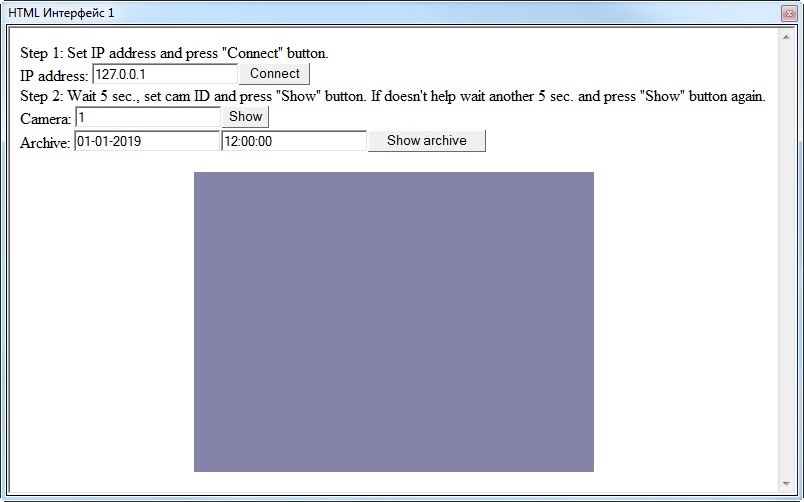
<HTML>
<HEAD>
<META NAME="GENERATOR" Content="Microsoft FrontPage 5.0">
<meta http-equiv="Content-Type" content="text/html; charset=windows-1251">
<TITLE></TITLE>
<SCRIPT ID=clientEventHandlersJS LANGUAGE=javascript>
<!--
function Arch_onclick()
{
    CamMonitor1.DoReactMonitor("MONITOR||ARCH_FRAME_TIME|cam<"+cam.value+">,date<"+date.value+">,time<"+time.value+">")
}

function Connect_onclick()
{
    CamMonitor1.KeysOptions=0;
    CamMonitor1.Connect(ip.value, "", "", "", 0);
}

function ShowCam_onclick()
{
    CamMonitor1.SetCallBackOptions(cam.value,1);
    CamMonitor1.ShowCam(cam.value,0,1);
}

function main()
{
    ip.value="127.0.0.1";
    cam.value = 1;
	date.value="01-01-2019";
	time.value="12:00:00";
}

//-->
</SCRIPT>
</HEAD>
<BODY onload="main()" >
Step 1: Set IP address and press "Connect" button.<br/>
IP address: <INPUT id=ip name=ip><INPUT type=button value="Connect" LANGUAGE=javascript onclick="return Connect_onclick()"><br/>
Step 2: Wait 5 sec., set cam ID and press "Show" button. If doesn't help wait another 5 sec. and press "Show" button again.<br/>
Camera: <INPUT id=cam name=cam><INPUT type=button value="Show" LANGUAGE=javascript onclick="return ShowCam_onclick()"><br/>
Archive: <INPUT id=date name=date><INPUT id=time name=time><INPUT type=button value="Show archive" LANGUAGE=javascript onclick="return Arch_onclick()"><br/>

      <p align="center"><object classid="clsid:3A41B075-E368-4F94-9E59-5F26DC102BF4" id="CamMonitor1" width="400" height="300"/></p>

    <script for="CamMonitor1" event="OnCamListChange(cam_id, action)">
<!--
        if(cam_id == 1 && action == 0)
        {
            CamMonitor1.ShowCam(1,0,1);
        }
-->
    </script>
    <script for="CamMonitor1" event="OnConnectStateChanged(state)">
<!--
    alert("New connection state=" + state);
-->
    </script>
</BODY>
</HTML>
