
Перейти в хранилище документации
Обратиться в техническую поддержку
| Info | ||
|---|---|---|
| ||
Максимальное число дверей для контроллера ZK C3-100 - 1, для ZK C3-200 - 2, для ZK C3-400 - 4 |
Настройка двери ZK Teco осуществляется следующим образом:
The ZK Teco door for the controller C3-100 is configured on the settings panel of the AC ZK Door C3-100 object which is created on the basis of the AC ZK Controller C3-100 object on the Hardware tab of the System settings dialog window.
Note.
Available number of doors is automatically created under the corresponding controller, i.e. one door is created under the controller C3-100, two doors under the controller C3-200 and four doors under the controller C3-400.
To configure the ZK Teco door, do the following:
...
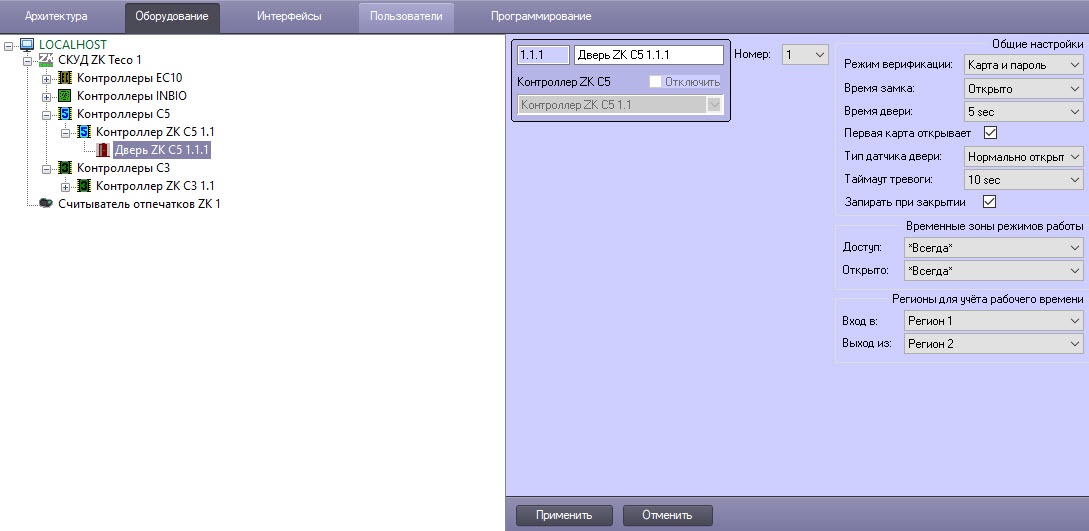
From the Type: drop-down list select the type of door sensor (5).
Note
The door sensor type affects the way pass events are generated.
Disable: the event about the user's pass is generated automatically, as soon as the user has been identified.
Set The first card opens door checkbox to open the door using the first card (10).
Note.
Access level of first card for the door opening is configured in the panel of user editing in the Access Manager interface module. In the Level in first card mode field specify the corresponding access level.

From the Keep open: drop-down list select the time zone in which the door will be normally opened (14).
Note.
The door will be opened in not more than 1 minute after starting the specified time zone.
To send the specified settings to controller click the Send configuration button on the settings panel of the AC ZK Controller C3-100 object.
Configuring of the C3-100 door is completed
...
Note.
Settings for doors of controllers C3-200 and C3-400 are the same.
